BizzPrompt User Guide
A quick start guide to browsing categories, customising prompts, and running guided workflows.
Browse by category
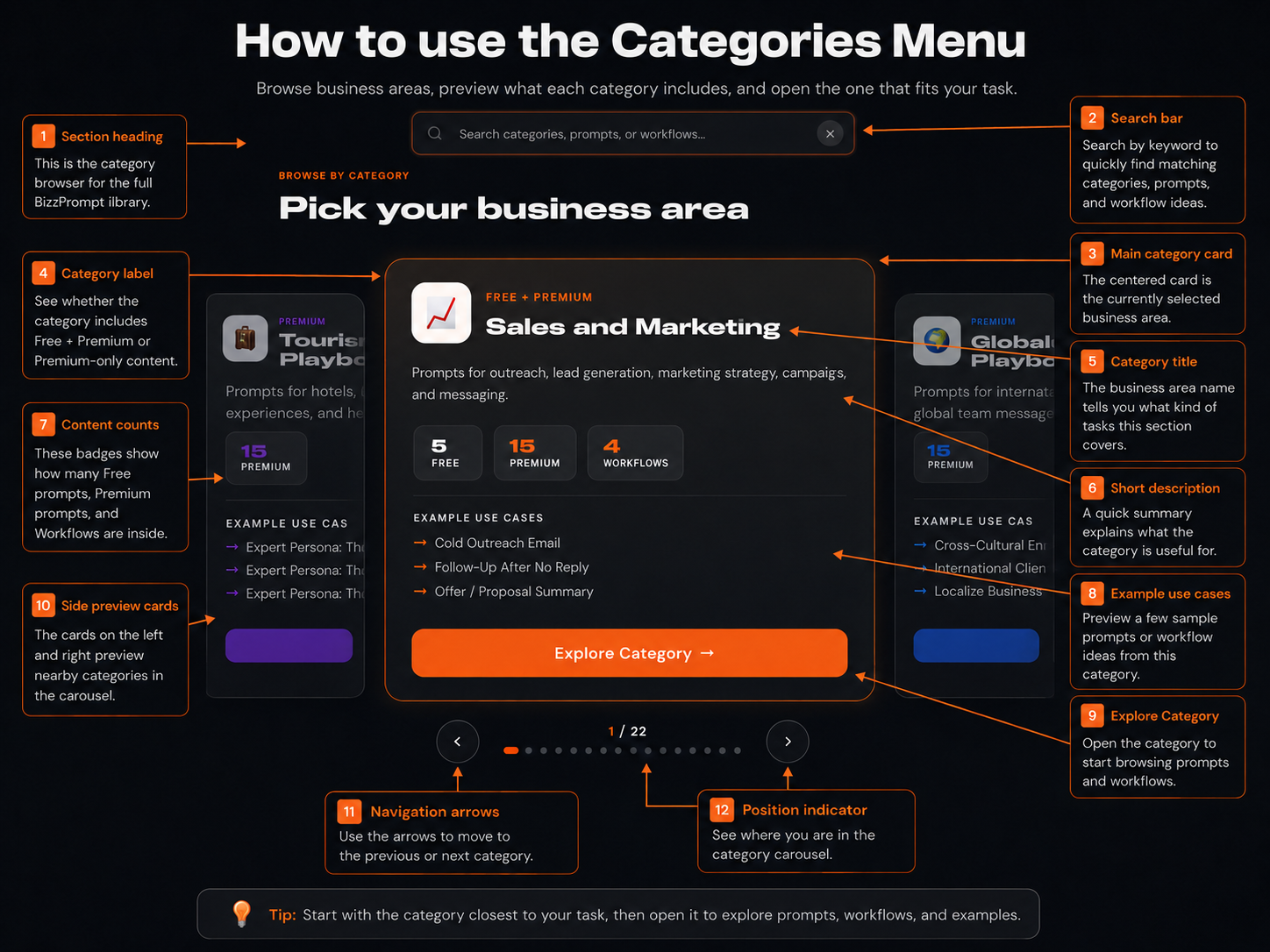
Start by choosing the business area closest to your task. Use the search bar, category cards, or carousel to quickly find the right part of the library.
Use the Prompt Console
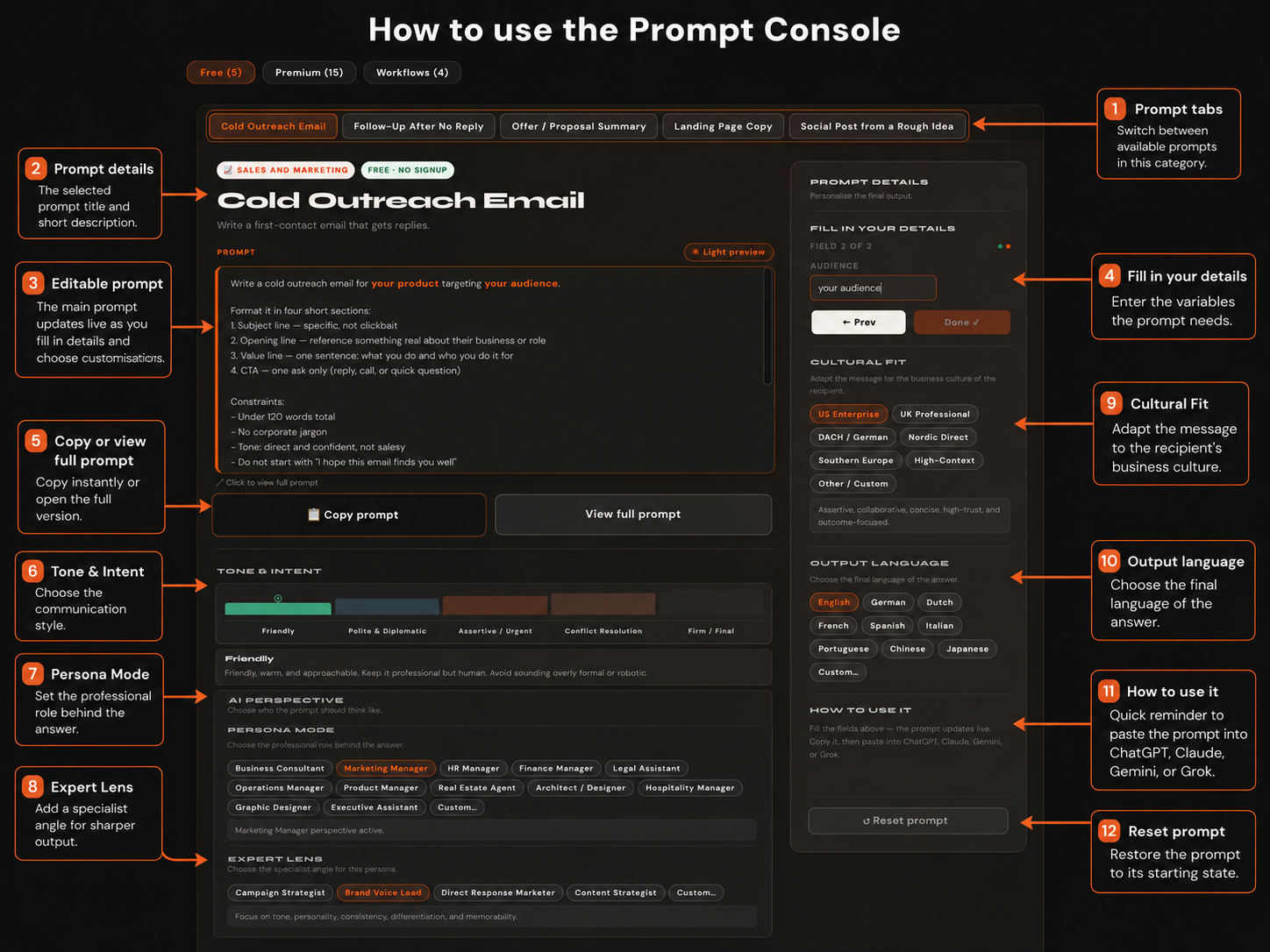
Choose a prompt, fill in your details, then shape the final output with Smart Customisations like tone, persona, expert lens, culture fit, and output language.
Run a guided workflow
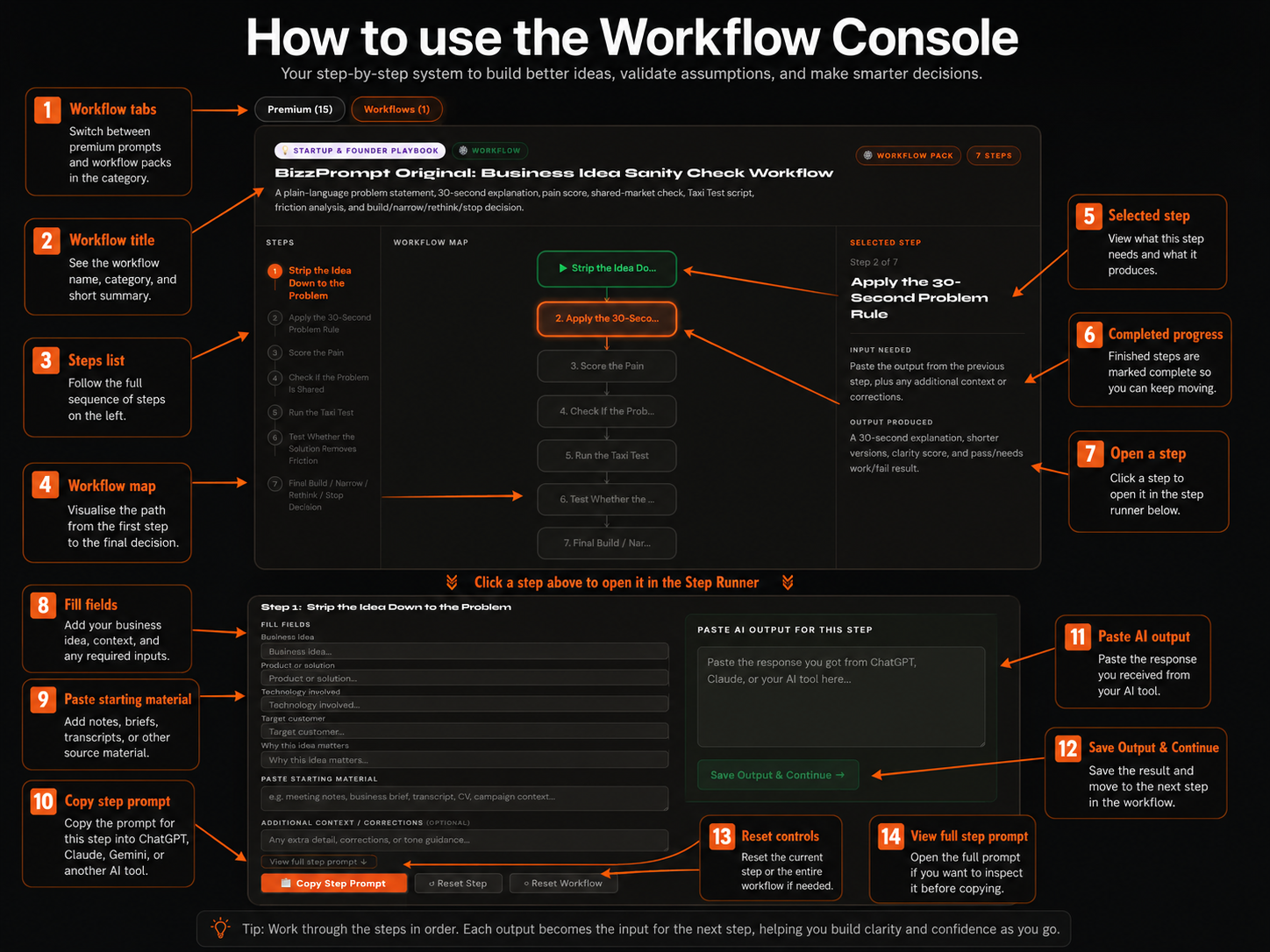
Use workflows for bigger business tasks that need more structure. Open a step, copy the step prompt into your AI tool, then paste the result back and continue to the next step.
Need help?
You can manage billing, invoices, subscription changes, and cancellations from your BizzPrompt account menu. If you need help getting started, return to the main app and open the premium area.